

Description
Master PCB Design with Altium Designer – Step-by-Step Practical Course
Requirements
-
Altium Designer software is required.
-
College/University students may request a free student license in many countries.
Course Description
Learning PCB design is a core skill for anyone pursuing electronics engineering, hardware development, or product design. Mastering Altium Designer—the industry-leading PCB design software—can open doors to top companies, increase your job opportunities, and help you create professional, high-performance electronic boards.
This course teaches you how to design a real PCB from scratch using Altium Designer, guiding you through schematics, PCB layout, documentation, and board manufacturing essentials.
What You Will Learn
Design a Professional PCB Using Altium Designer
-
Create complete schematics
-
Perform PCB layout and routing
-
Generate all documentation required for PCB manufacturing
Why Learn Altium Designer?
Altium Designer is one of the most widely used PCB design tools in the electronics industry. From simple development boards to complex server motherboards, Altium is trusted by engineers worldwide. Learning this software is an essential step for anyone planning a career in electronic hardware design.
Course Overview
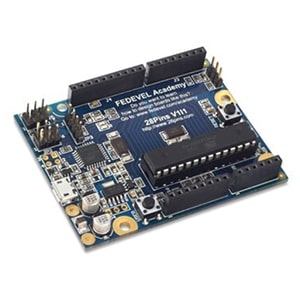
You will begin with the Arduino Uno reference schematic and learn how to:
-
Redraw and update schematic diagrams
-
Modify and improve circuit structure
-
Complete the full PCB layout
-
Prepare files and documents for board fabrication
Every step is explained clearly, making this course suitable even for complete beginners. By the end of the course, you will have created a fully manufacturable board with all required files.
In Just 15 Hours, You Will Learn How To:
-
Build schematics with proper component selection
-
Create custom schematic symbols and PCB footprints
-
Place and organize components on the PCB
-
Route tracks and apply best-practice layout techniques
-
Build a complete 3D model of your PCB
-
Configure board variants with different component options
-
Generate a complete Bill of Materials (BOM)
-
Produce assembly drawings and documentation
-
Export Gerber files, Pick-and-Place files, drill files, and more
-
Prepare all files required by PCB manufacturers and assembly houses
-
Program the board and run a simple LED blinking firmware test
You can even manufacture the board by ordering the PCB and components, then assembling it yourself using the generated files.
Who This Course Is For
Students (College/University)
Learn one of the most in-demand PCB design tools used by professional electronics companies. Having Altium Designer skills gives you a major advantage when applying for internships or jobs.
Junior / Senior Hardware Engineers
Understand the complete professional workflow of PCB design. This course is ideal whether you’re new to Altium Designer or transitioning from another CAD platform.
Beginners & Hobbyists
If you build circuits on breadboards and want to turn them into real PCBs, this course will guide you through designing your own hardware from start to finish.
Please Note: Files will be included in this purchase only Full Course Video & Course Resources. You will get cloud storage download link with life time download access.




Reviews
There are no reviews yet.