

Description
GIS Specialization Course – Learn Geographic Information Systems from Beginner to Advanced
Course Description
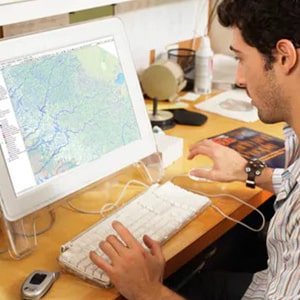
The Geographic Information Systems (GIS) Specialization is a comprehensive training program designed to help you understand, analyze, and map the world using powerful GIS tools. This specialization covers essential GIS concepts, spatial analysis techniques, data modeling, map creation, and real-world GIS applications across industries such as agriculture, environment, urban planning, public health, and more.
Whether you are new to GIS or looking to expand your skill set, this course provides step-by-step guidance to help you master geospatial technologies and confidently use GIS in professional settings.
What You Will Learn in the GIS Specialization
By the end of this specialization, you will be able to:
✔ Build and work with raster data
Learn how to create, manage, and analyze raster datasets for spatial modeling and visualization.
✔ Develop and analyze geospatial datasets
Understand geographic patterns, relationships, and trends using advanced analytical tools.
✔ Create automated workflows in ModelBuilder
Design efficient GIS processes using ModelBuilder to automate repetitive tasks.
✔ Interpret and present GIS analysis results
Communicate spatial findings clearly using professional-quality maps and reports.
✔ Connect spatial data for meaningful insights
Understand how spatial data works, how features are related, and how to apply this knowledge in real-world projects.
Course Specifications
-
Publisher: Coursera
-
Instructor: Nick Santos
-
Language: English
-
Level: Introductory / Beginner-Friendly
-
Number of Courses: 5
-
Course Duration: Varies (self-paced)
Courses Included in the GIS Specialization
Course 1: Fundamentals of GIS
Learn the basics of GIS, mapping concepts, and essential geospatial terminology.
Course 2: GIS Data Formats, Design, and Quality
Explore vector and raster data formats, data quality standards, and best practices.
Course 3: Geospatial and Environmental Analysis
Perform environmental modeling, spatial statistics, and advanced geospatial analysis.
Course 4: Imagery, Automation, and Applications
Work with satellite imagery, remote sensing data, and automated GIS workflows.
Course 5: Geospatial Analysis Project
Apply everything you’ve learned to a hands-on, real-world GIS project.
Prerequisites & System Requirements
This specialization is designed for complete beginners—no prior GIS experience is required. However, basic computer skills are helpful.
Software Requirement: ArcGIS Desktop
The course uses ArcGIS for Desktop. A free educational license will be provided inside the course.
Windows System Requirements
ArcGIS Desktop requires a Windows operating system. Students should ensure their computer meets the latest system requirements (available on Esri’s website).
Using a Mac?
You can take the course on a Mac only if you can install Windows using:
-
VirtualBox (free)
-
BootCamp (free)
-
Parallels
-
VMWare
A Windows license (trial available) may be required. While many students successfully take the course on a Mac, it is not an officially supported configuration.
Who This GIS Specialization Is For
-
Students and beginners exploring GIS
-
Professionals in geography, environment, agriculture, engineering, urban planning, and public health
-
Anyone interested in spatial data visualization and geospatial technology
-
Individuals seeking a career in GIS or data analytics
This specialization starts from the basics, making it ideal for beginners while also offering valuable skills for experienced learners.
Please Note: Files will be included in this purchase only Full Course Video & Course Resources. You will get cloud storage download link with life time download access.



Reviews
There are no reviews yet.